
Hi everyone,
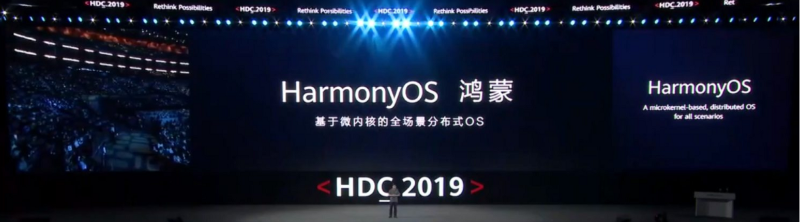
The developer documentation of Harmony OS, the name of which we have begun to hear a lot more recently, was published recently:
After a short while, it was possible to create real products by updating the documentation as fast as possible. In this article, we will take a look at the available features and make a sample application for lite-wearable devices.
There are currently 2 programming languages available to develop Harmony OS applications(22.01.2021). Java or Javascript. Today we will not use Java, which is the familiar way of the mobile world. We will design a product by taking advantage of the features of the HTML-CSS-JS trio with Javascript.
When the application we will do is finished, it will look like this:

Let’s start by looking at the structures we will use for such an application:
- Swiper
- Geolocation
- Battery
- Data Binding
- Button Events
- Progress
First, we start by creating the multi-page structure.
How to use Swiper
Swiper is a functional structure that allows you to split your application into scrollable pages within an htm file instead of multiple pages. (Click for detailed information)
When switching between 4 pages, we call the index value by js to determine the starting page:
Device Location and Information
By using the geolocation library for the location of the device in the application, we can view the current location of the device, the accuracy of this location, and when the location information was accessed (Click for detailed information):
In order to show this information in the interface, we will use the data binding feature that allows to connect the frontend and the backend part.
When we update the data in the data section on the JS side, we call the variable that we wrote under the data in the JS side as “{{VALUE_NAME}}” in the frontend to automatically reflect it on the front face.
In this way, when we update a data with an event or function in the JS section, HarmonyOS ensures that the relevant data on the front face is updated.
Our general structure has now become:
How to Use “Progress”
We need a progress structure to show the progress of a structure or loading windows in the application. We’re going to design page 2 as a loader to show you how it works here. (Click For Detailed Information)
We create it using the data binding structure to control the progress in the hml part of our page, the arc type as type, and finally the percent value with the js part. We can see more clearly how we can trigger these structures by putting 2 buttons:
Now let’s go to the JS section, create the startProgressBar and StopProgressBar functions, and update the percentage variable with a timer: (Click for detailed information about Timer)
How to Use List and Image Structures
Let’s assume that we pull the works to be done on the 3rd page of our application via an API. Or we use the List to show the events received on the person’s calendar. I am actually talking about the equivalent of ListView-like structure on the Android side for Harmony OS. Image will show how to do the photo display in the application. Using ImageAnimator for moving photos is the subject of another article 🙂
First of all, since we assume that the data is already taken on the JS side, we fill the data with mock data by default:
In the interface, we call our todoList variable in the list and transfer the body to the front side with for loop:
Images
Finally, to add photos, I create a directory named “common” under the Pages directory and transfer my sample photo here:

And using with this code block:
Final
Let’s take a look at the final version of our application on our code.
index.hml:
index.js:
Index.css for some makeup:
Our application:
As you can see, there are very enjoyable and very useful tools to develop applications on Harmony OS. You can use the following resources (like me) while developing applications.
https://forums.developer.huawei.com/forumPortal/en/home?search=harmony&sorter=4&hash=kk89qsuc
For your questions and problems, you can reach me on our forum channel or at https://sezerbozkir.com
See you soon.
